Install and license
The Case Builder runs with a license code. The installers are on the public download page, under Releases. The code comes by email from Marcus N. Gomes Jr., who develops HydroPol2D.
Contact: Marcus N. Gomes Jr., marcusnobrega.engcivil@gmail.com.
1. Ask for a license
Write to Marcus with:
- your name and the email address the license should carry (the code holds both);
- your computer: a Mac with Apple silicon (M1 or later) or Windows (64-bit).
You receive your license code, a long line of text that starts with HP2D1-. Each code has a last
valid day.
2. Download
On the download page, open Releases and download the zip for your computer.
| Computer | File | Free disk space |
|---|---|---|
| Mac with Apple silicon (M1 or later) | HydroPol2D-Case-Builder-macOS-arm64.zip | about 600 MB, plus the data you download |
| Windows (64-bit) | HydroPol2D-Case-Builder-Windows-x64.zip | about 600 MB, plus the data you download |
The release notes list the SHA-256 checksum of each zip.
3. Install
Mac (Apple silicon)
- Unzip
HydroPol2D-Case-Builder-macOS-arm64.zip. - Drag HydroPol2D Case Builder into your Applications folder.
- Double-click it. The first time, macOS says it cannot check the app for malicious software. Click Done.
- Open System Settings › Privacy & Security. Scroll down to the message about HydroPol2D Case Builder and click Open Anyway. Confirm with your password.
You do steps 3 and 4 only once. If you prefer Terminal, this command lets macOS open the app without step 4:
xattr -dr com.apple.quarantine "/Applications/HydroPol2D Case Builder.app"
Windows (64-bit)
- Unzip
HydroPol2D-Case-Builder-Windows-x64.zipinto a folder you keep, for exampleDocuments\HydroPol2D Case Builder. - Double-click HydroPol2D Case Builder.exe.
- If Windows shows "Windows protected your PC", click More info, then Run anyway.
4. Start and activate
Opening the app shows a small window. It starts the Case Builder and, after a few seconds, opens it in your web browser. The first time, the page asks for your code. Paste the whole code into License code and click Activate.
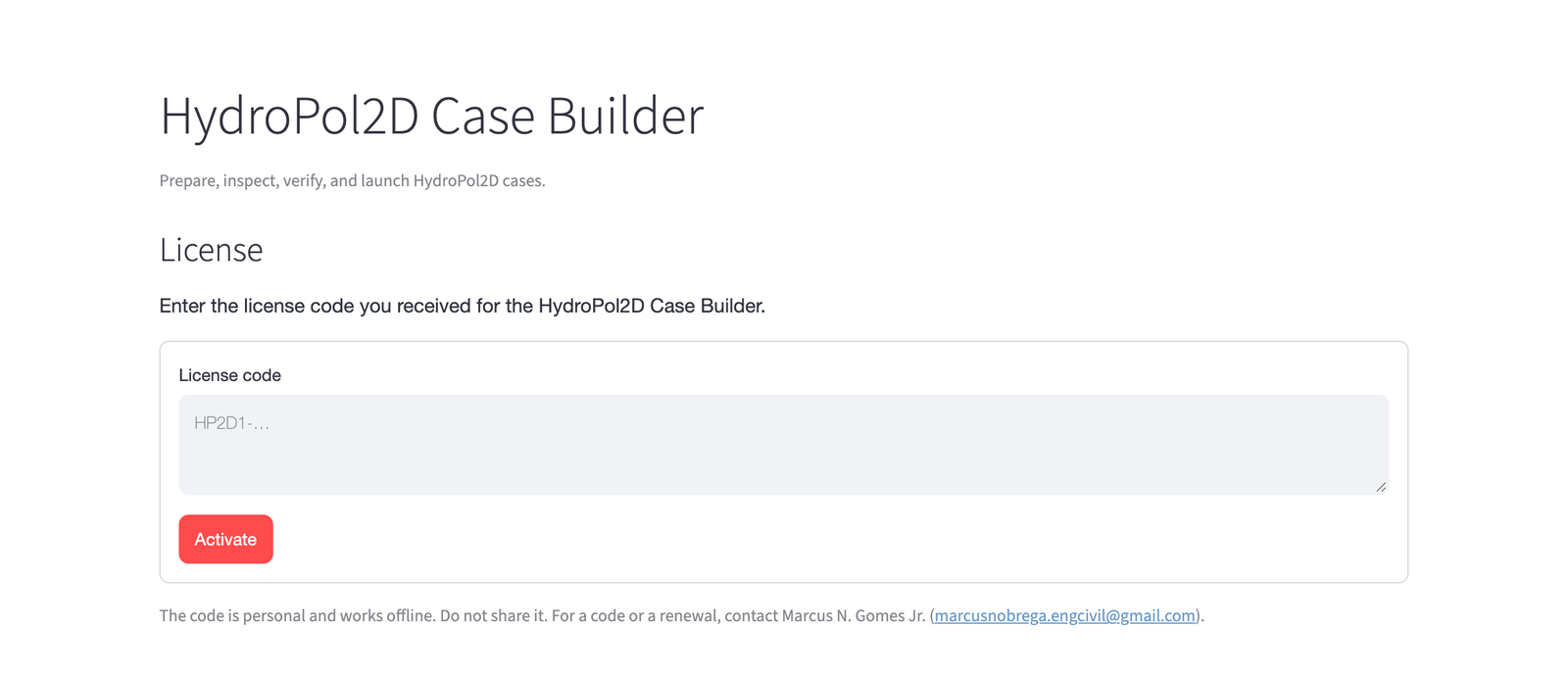
Figure 1. The license page. Paste the code that starts with HP2D1- and click Activate. After that the page opens directly on Prepare a case.
After activation, a line at the top of the page shows who the license is for and its last day.
Working with the app
- Keep the small window open while you work. Open in browser brings the page back if you closed its tab. Quit, or closing the small window, stops the Case Builder.
- The page is at
http://127.0.0.1:8501, or the next free port. Only your own computer can open it. The Case Builder itself runs on your computer, and your cases stay there. - New cases go to
Documents/HydroPol2D Case Builder/outputsin your home folder, unless you choose another folder under Folders and advanced paths (see Case settings). - The first case of a region downloads its data. Later cases reuse it from the cache.
About your license
-
Your code is personal. It works on any computer you install the Case Builder on. Enter the same code on each one. Please do not share it.
-
The Case Builder checks the code on your computer. It needs no internet for this.
-
The page tells you when fewer than 30 days are left. For a new code, write to Marcus again.
-
The Case Builder keeps the code in
license.txt, in this folder:- Mac:
~/Library/Application Support/HydroPol2D Case Builder/ - Windows:
%APPDATA%\HydroPol2D Case Builder\
To enter a different code, delete that file and open the Case Builder again.
- Mac:
-
Keep your computer's date correct. The Case Builder refuses to start when the date is set back more than two days before the last time it was used.
-
A HydroPol2D Studio code does not open the Case Builder. Studio has the Case Builder inside (New model), under Studio's own code.
The license terms are in LICENSE.txt, next to the app in the zip. The open-source parts of the
app and their licenses are listed in THIRD_PARTY_NOTICES.txt. The input datasets keep their own
licenses and terms.
Uninstalling
Delete HydroPol2D Case Builder from Applications (Mac) or its folder (Windows). The Case Builder also keeps these, which you can delete when you no longer need them:
| What | Mac | Windows |
|---|---|---|
| License code | ~/Library/Application Support/HydroPol2D Case Builder/ | %APPDATA%\HydroPol2D Case Builder\ |
| Downloaded data and tools (can be several GB) | ~/.cache/hydropol2d-case-builder/ | %USERPROFILE%\.cache\hydropol2d-case-builder\ |
| NASA Earthdata token (if you saved one) | ~/.config/hydropol2d-case-builder/earthdata_token | %USERPROFILE%\.config\hydropol2d-case-builder\earthdata_token |
HydroPol2D Studio uses the same data cache, so delete it only if neither program needs it. Your cases stay in the folders you chose for them.