HydroPol2D Studio
HydroPol2D Studio is the desktop interface for HydroPol2D-Python. It builds a model from a map or from your own files, sets it up step by step, runs it, and shows the results. Studio is a separate layer around the model engine: it does not call MATLAB and does not duplicate the solver.
This section describes Studio 0.9 (release candidate).
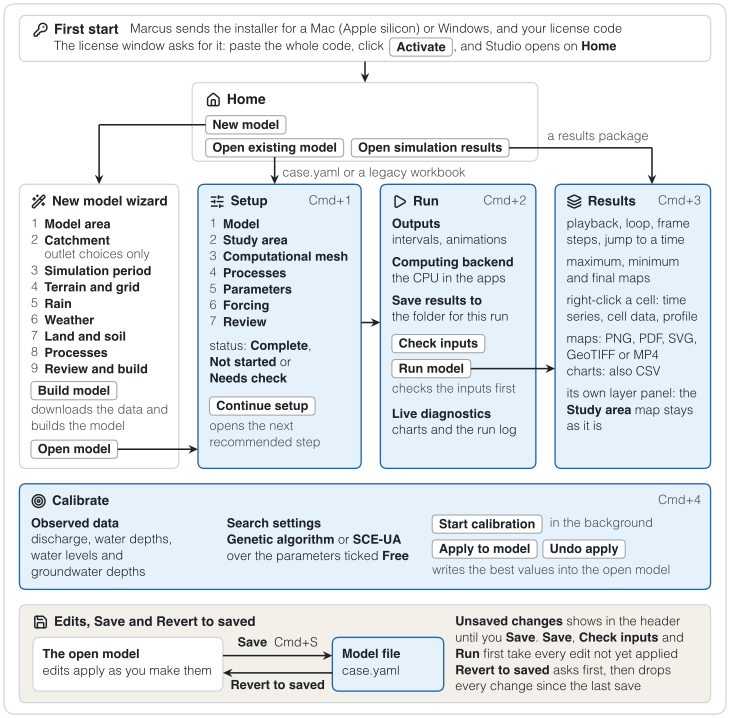
Figure 1. The path through Studio 0.9. New model leads to the wizard, Open existing model to Setup and Open simulation results to Results; Cmd+1 to Cmd+4 switch between the four workspaces.
Install and start
Studio runs with a license code from Marcus N. Gomes Jr. Install and license explains how to ask for one, install Studio on a Mac or on Windows, and activate it.
The installed app opens like any other program.
Home
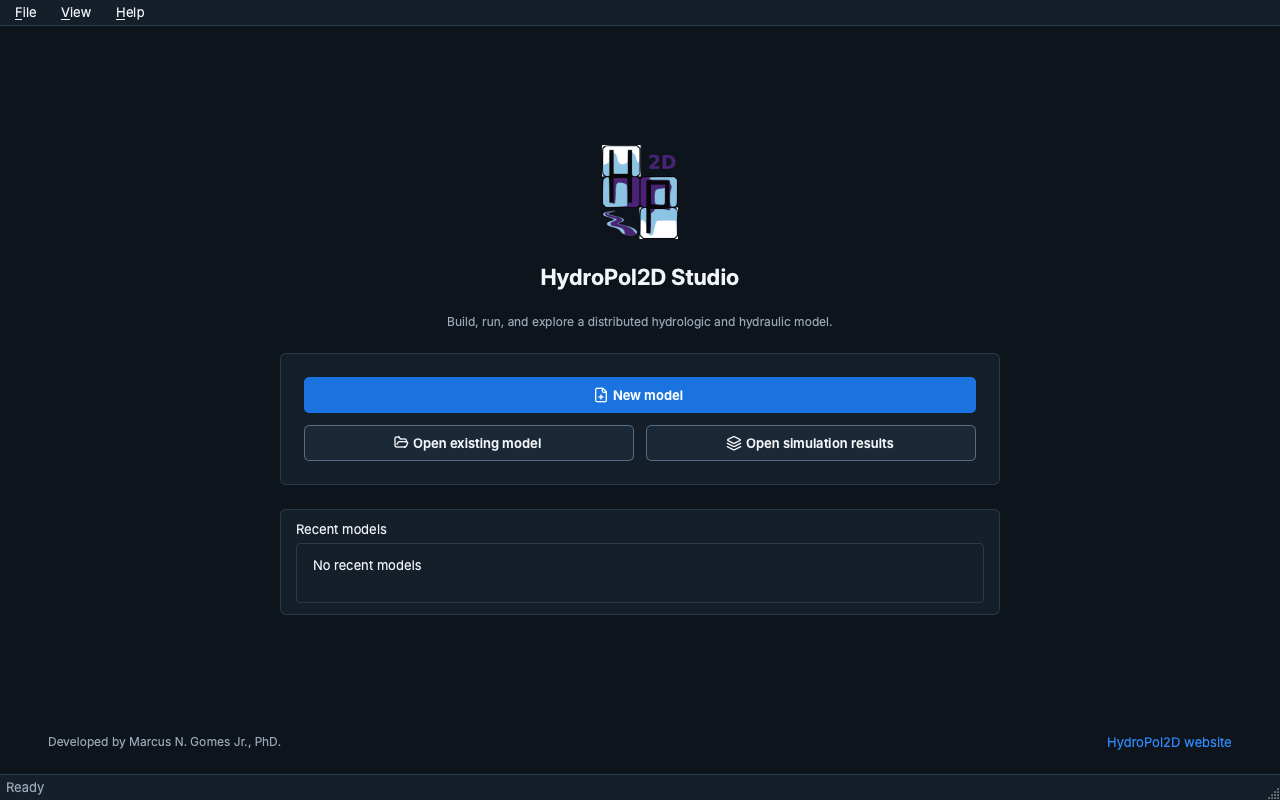
Studio opens on Home, with three choices:
- New model opens the New model wizard, which builds a model from a city, a river outlet, an area file or your own terrain.
- Open existing model opens a
case.yaml(or a legacy workbook). - Open simulation results opens a results package without a model.
Recent models are listed below the choices.
Workspaces
A model has four workspaces on the left rail:
| Workspace | What it is for |
|---|---|
| Setup | Seven steps: Model, Study area, Computational mesh, Processes, Parameters, Forcing and Review. |
| Run | Output products, the input check, the computing backend and the run itself, with live diagnostics. |
| Results | Maps and time series of a finished run, with playback, profiles and exports. |
| Calibrate | Observed series, the parameters to fit, the search settings, the calibration run and its results. |
Cmd+1 to Cmd+4 open them on a Mac (Ctrl+1 to Ctrl+4 on Windows).
In this section
- Install and license: asking for a license, installing and activating.
- Building a model: the New model wizard and the seven Setup steps.
- Working in Studio: how edits, Save and Revert to saved work, error messages, themes, menus and shortcuts.
- Run and results: running a model and reading its results.
- Calibrate: fitting parameters to observed discharge, depths and groundwater.